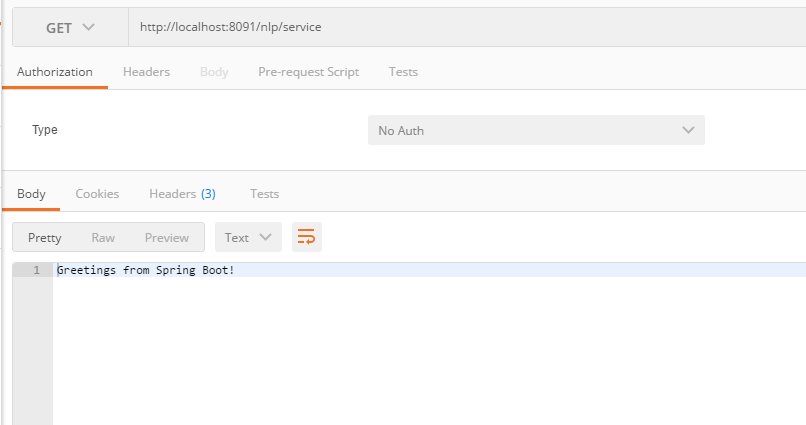
上文采用spring boot建立了restful项目,本文建立新的项目,并处理与之通信
先设置上文应用程序的端口,resources文件夹application.properties
server.port=8090
微服务’ralab-client’
- New mocroservice ‘ralab-client’ and add the Maven spring-boot-starter-web denpendency
- Add server.port parameter to the application.properties file
- Add RestTemplate instance to Communicate with mocroservice ‘ralab-nlp’ by url
新建maven项目(服务消费者ralab-client),引入spring-web依赖,pom.xml文件如下:1
2
3
4
5
6
7
8
9
10
11
12
13
14
15
16
17
18
19
20
21
22
23
24
25
26
27
28
29
30
31
32
33
34
35
36
37
38
39
40
41
42
43<?xml version="1.0" encoding="UTF-8"?>
<project xmlns="http://maven.apache.org/POM/4.0.0" xmlns:xsi="http://www.w3.org/2001/XMLSchema-instance"
xsi:schemaLocation="http://maven.apache.org/POM/4.0.0 https://maven.apache.org/xsd/maven-4.0.0.xsd">
<modelVersion>4.0.0</modelVersion>
<parent>
<groupId>org.springframework.boot</groupId>
<artifactId>spring-boot-starter-parent</artifactId>
<version>2.1.8.RELEASE</version>
<relativePath/> <!-- lookup parent from repository -->
</parent>
<groupId>com.ralab</groupId>
<artifactId>ralab-client</artifactId>
<version>0.0.1-SNAPSHOT</version>
<name>ralab-client</name>
<description>Demo project for Spring Boot</description>
<properties>
<java.version>1.8</java.version>
</properties>
<dependencies>
<dependency>
<groupId>org.springframework.boot</groupId>
<artifactId>spring-boot-starter-web</artifactId>
</dependency>
<dependency>
<groupId>org.springframework.boot</groupId>
<artifactId>spring-boot-starter-test</artifactId>
<scope>test</scope>
</dependency>
</dependencies>
<build>
<plugins>
<plugin>
<groupId>org.springframework.boot</groupId>
<artifactId>spring-boot-maven-plugin</artifactId>
</plugin>
</plugins>
</build>
</project>
RalabClientApplication文件1
2
3
4
5
6
7
8
9
10
11
12
13
14
15
16
17
18
19
20
21package com.ralab.ralabclient;
import org.springframework.boot.SpringApplication;
import org.springframework.boot.autoconfigure.SpringBootApplication;
import org.springframework.context.annotation.Bean;
import org.springframework.web.client.RestTemplate;
public class RalabClientApplication {
public RestTemplate getRestTemplate()
{
return new RestTemplate();
}
public static void main(String[] args) {
SpringApplication.run(RalabClientApplication.class, args);
}
}
新建NlpResource1
2
3
4
5
6
7
8
9
10
11
12
13
14
15
16
17
18
19
20
21
22package com.ralab.ralabclient.resources;
import org.springframework.beans.factory.annotation.Autowired;
import org.springframework.web.bind.annotation.GetMapping;
import org.springframework.web.bind.annotation.RequestMapping;
import org.springframework.web.bind.annotation.RestController;
import org.springframework.web.client.RestTemplate;
("/nlp")
public class NlpResource {
private RestTemplate restTemplate;
("/service")
public String index()
{
String result = restTemplate.getForObject("http://localhost:8090/nlp/api", String.class);
return result;
}
}
设置端口
resources文件夹application.properties
server.port=8091
运行RalabClientApplication